
 ALL BLOGS
Accessibility Matters: Designing Websites for Everyone
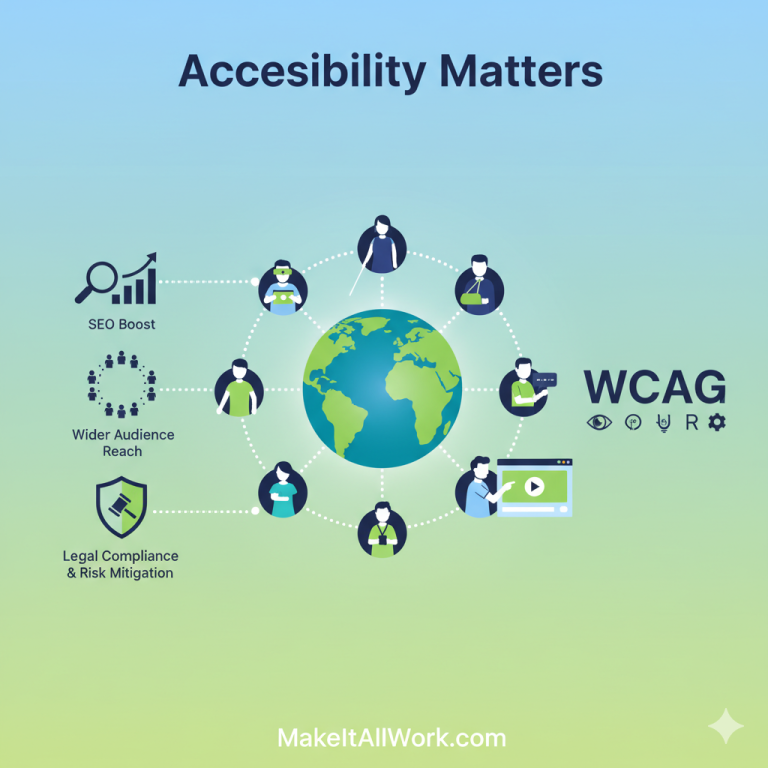
As the web development team at MakeItAllWork, we’re committed to building digital experiences that work seamlessly for every user. You might hear the term “web accessibility” and think of it as a niche topic, but the truth is, it’s a fundamental part of quality web design that directly impacts your business’s bottom line.
Let’s dive into the most common questions we get about making websites accessible, the international guidelines, and why this really matters to your business’s success.
What exactly is web accessibility?
Simply put, web accessibility means designing and developing websites so that people with disabilities can perceive, understand, navigate, and interact with the Web.
This includes people with:
- Visual impairments (including blindness and low vision)
- Hearing impairments (including deafness)
- Motor impairments (difficulty using a mouse or precise movements)
- Cognitive or neurological disabilities (including learning disabilities)
- …and even those with temporary or situational limitations, like a broken arm or a poor internet connection.
What are the WCAG guidelines everyone talks about?
WCAG stands for the Web Content Accessibility Guidelines. These are the international standard for web accessibility, developed by the World Wide Web Consortium (W3C).
Think of them as the blueprint for an inclusive internet. WCAG is built on four core principles, often remembered by the acronym POUR:
- Perceivable: Can users perceive the information presented? (e.g., providing alt text for images so screen readers can “see” them, or captions for videos).
- Operable: Can users successfully interact with and navigate the site? (e.g., ensuring a site can be fully navigated using only a keyboard).
- Understandable: Is the content clear and is the site’s operation predictable? (e.g., using clear, consistent navigation and simple language).
- Robust: Can the content be reliably interpreted by a wide variety of user agents, including assistive technologies? (e.g., writing clean, valid code).
The most common and recommended level of conformance for businesses is WCAG 2.1 Level AA.
Does web accessibility actually help my business?
Absolutely! Accessibility is often framed as “the right thing to do,” which it is—but it’s also smart business strategy. The benefits touch on several critical areas:
1. Massive SEO Boost
Believe it or not, search engine optimization (SEO) and accessibility go hand-in-hand! Why? Because what makes a site easier for a screen reader to understand also makes it easier for a search engine robot (crawler) to index.
- Alt Text on Images: Essential for blind users, and crucial for image SEO.
- Proper Heading Structure (H1, H2, etc.): Helps screen reader users navigate, and signals content hierarchy to search engines.
- Video Transcripts and Captions: Makes multimedia accessible, while providing search engines with more text content to crawl and rank.
- Clear, Semantic Code: Improves site performance and crawlability for everyone.
An accessible site is a better-optimized site, leading to higher rankings and more organic traffic.
2. Wider Audience Reach
Over one billion people worldwide live with some form of disability. By not prioritizing accessibility, you are effectively closing your door to a significant market segment.
An accessible website ensures that everyone, regardless of ability, can become a potential customer, read your content, fill out your contact form, and purchase your products or services. This dramatically expands your customer base and revenue potential.
3. Legal Compliance and Risk Mitigation
In many countries, including the United States (under the Americans with Disabilities Act, or ADA, Title III) and parts of Europe (European Accessibility Act), web accessibility is a legal requirement for public-facing businesses.
While the ADA doesn’t explicitly name WCAG, courts and legal settlements overwhelmingly use WCAG Level AA as the de facto standard. Lawsuits related to website inaccessibility are on the rise. Making your website accessible is the best way to protect your business from costly litigation, legal fees, and negative publicity.
What’s one quick thing I can check on my site right now?
One of the easiest and most important checks is Color Contrast. People with low vision or color blindness may struggle to read text if the foreground and background colors are too similar.
WCAG specifies minimum contrast ratios (e.g., 4.5:1 for normal text at Level AA). Tools are available online to check your brand colors! A simple fix can make a huge difference in readability for all users.
Let’s Make It All Work!
Accessibility isn’t a one-time project; it’s an ongoing commitment to quality and inclusion. If your current website wasn’t built with WCAG standards in mind, you are likely missing out on potential customers and exposing yourself to legal risk.
At MakeItAllWork, we specialize in building and remediating websites to meet WCAG Level AA standards. We don’t just check a box—we integrate accessible design from the first wireframe to the final deployment.
Ready to grow your audience, boost your SEO, and ensure full legal compliance?
Contact Us for a free, no-obligation Accessibility Audit of your current website. Let’s make sure your business is open to everyone!